Updates

New features and improvements that make Replicato better for you.

v2.3.0 feature

Tell us what's missing
Tell us what's missing

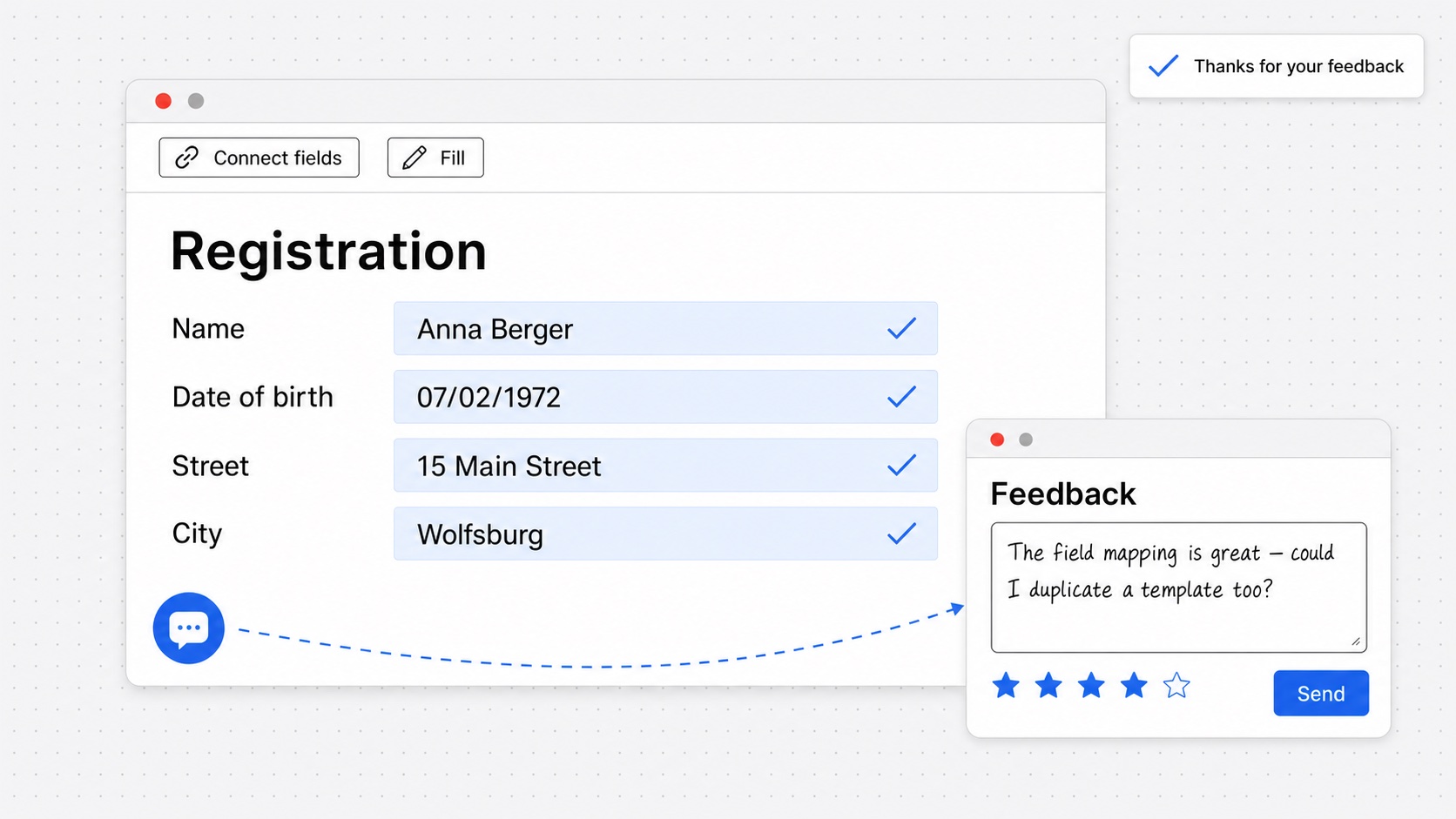
If Replicato is missing something you need, or something gets in your way, you can now tell us from inside the app.

Click the speech bubble at the bottom left to open the feedback panel. Tell us what you think, and rate your experience with stars if you feel like it. Your template stays open while you write.

We read every message. It shows us what you are missing and what we should work on next.
v2.2.0 feature

Replicato in Spanish

Replicato in Spanish

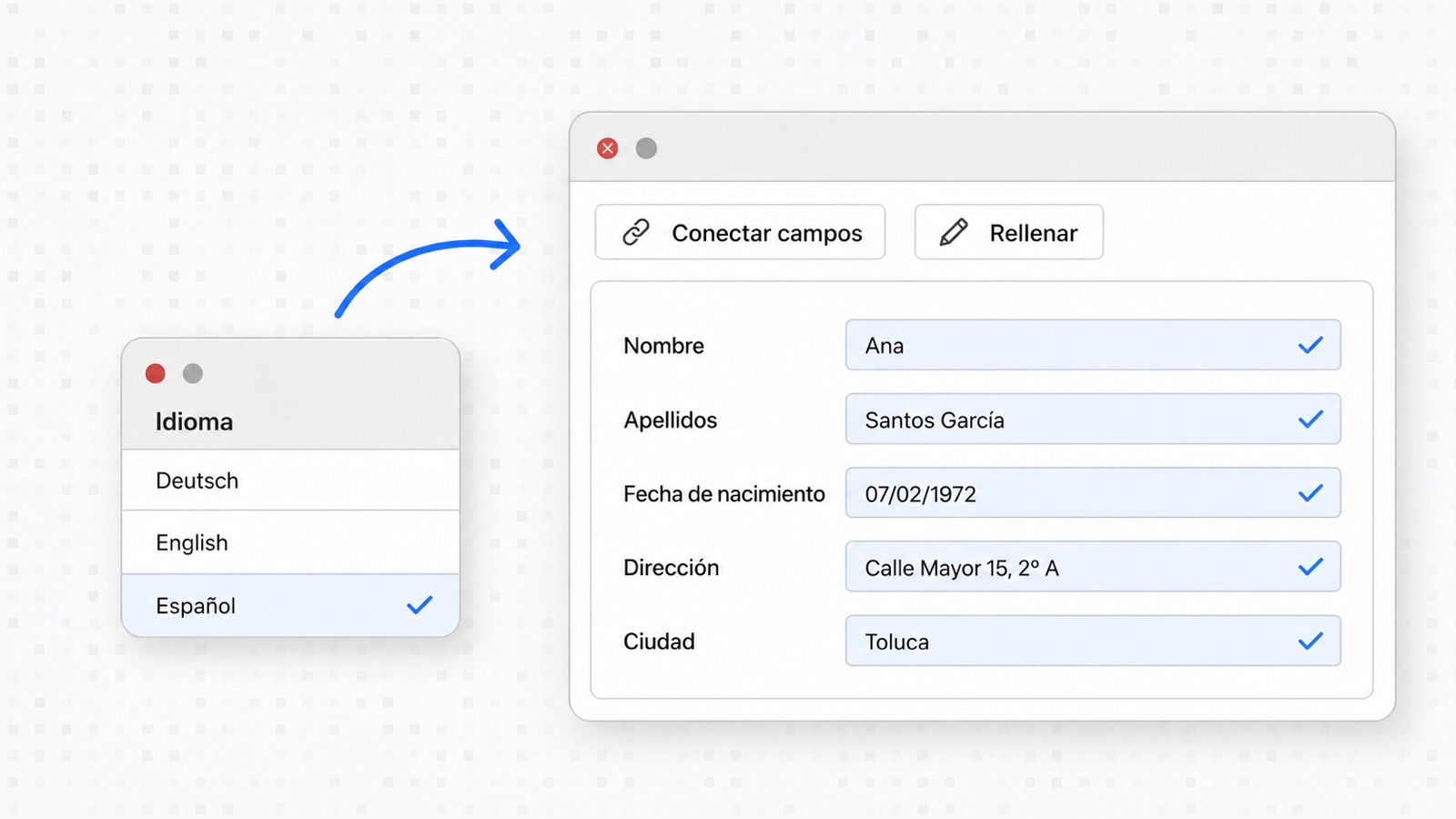
Replicato is now available in Spanish — in the app, on this website and in our update emails.

Choose Español from the language menu, whether you are signed in or not. If your browser language is Spanish, Replicato opens in Spanish automatically, with dates and times in the Spanish format.

Everyone on your team works with the same templates while using Replicato in their own language.

v2.1.0 feature

New data, same template

New data, same template

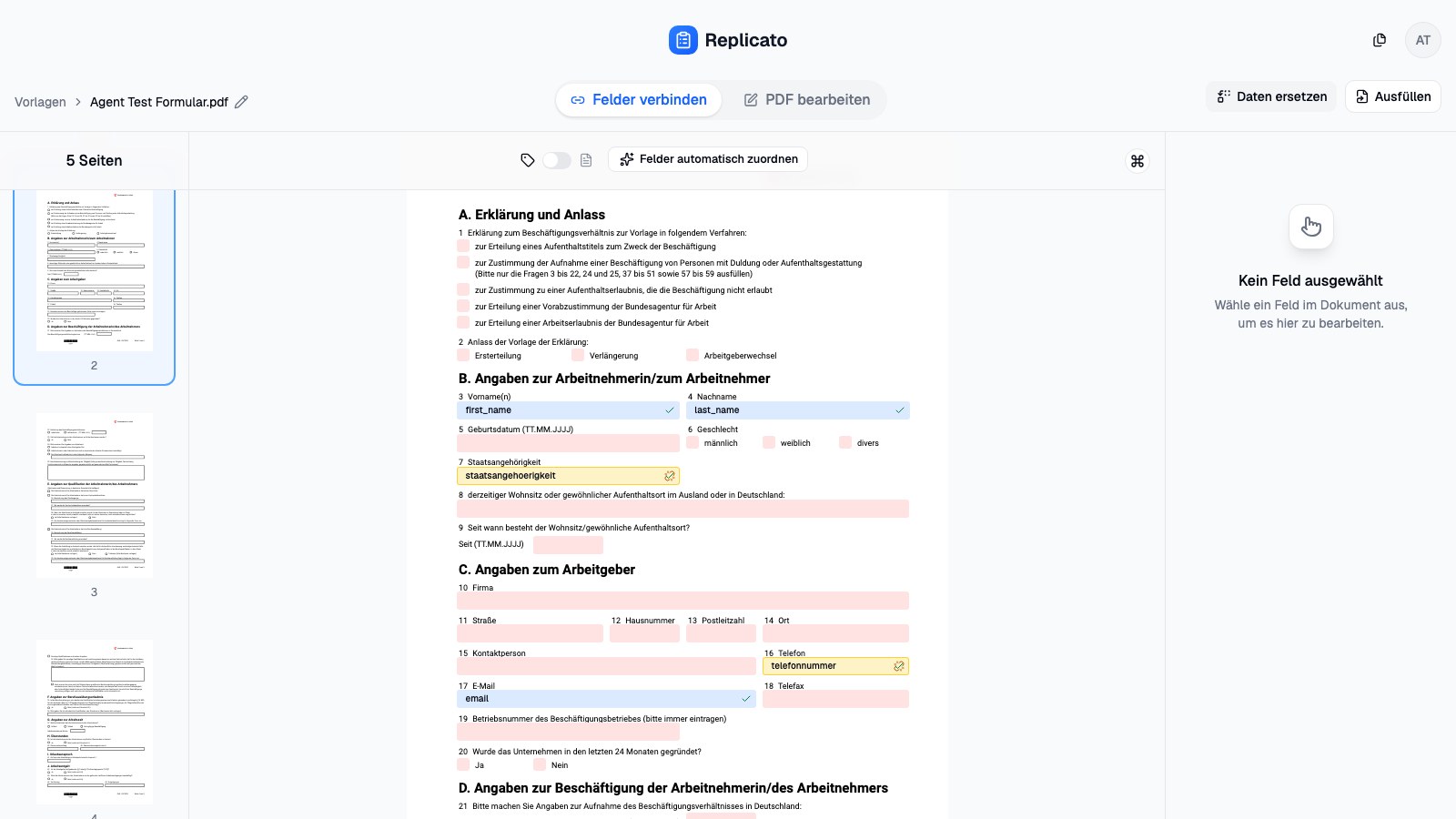
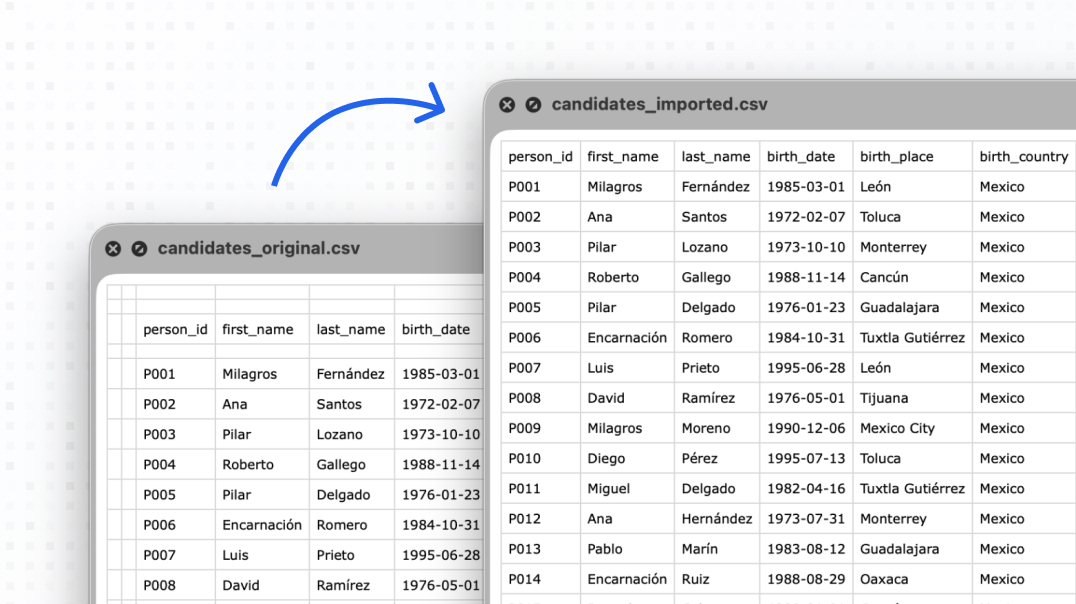
New list, same form. Until now that meant duplicating the template, uploading the PDF again and rebuilding every connection by hand.

The editor now has Replace data. Upload the new CSV or Excel file — the PDF and your connections stay exactly where they are. Columns with the same name stay connected.

If a column is suddenly called something else, or gone for good, we mark the field — and Replicato suggests the matching new column straight away. One click and it’s connected again.

v1.5.0 feature

A home on the internet

By loading the video, you consent to data being transferred to YouTube. Google Privacy Policy

Replicato finally has a home on the web. We also put together a short demo video to show how the whole flow works from start to finish. If you’re new here, it’s the fastest way to see what the tool can do.

v1.4.0 design feature

Quick fill

Sometimes you just want to fill existing documents. We hear you.

The new Fill tab allows just that. Upload your data, get your documents. You can also set custom naming rules for the output files based on the data inside them. No more manually renaming download.pdf fifty times, wohoo!

v1.3.0 performance

Performance Boost

We were wondering how long it would take for our server to hit its limit. Turns out, not that long.

As more and more people started using Replicato, we realized our initial server setup was a bit too weak. We’ve bumped the RAM and tweaked the config so the app stays snappy even when many people run large batch jobs at once.

v1.2.0 design feature

Toggle between columns and data

It’s easy to forget exactly what’s inside a column when you’re looking at a huge spreadsheet. “Column_A” isn’t exactly descriptive.

We’ve added a data preview toggle to the form editor. Now you can see the actual values from your CSV while you’re mapping fields, making it much easier to ensure everything is going where it should.

v1.1.0 design bugfix

Clean imported CSV files

Clean imported CSV files

CSV files are rarely perfect. Between empty columns, weird encodings, and data that somehow ended up in the wrong row, they can be a headache to process.

Replicato used to trip up on messy files, but we’ve toughened up the parser. It now handles imperfect data much more gracefully, so you don’t have to spend your afternoon cleaning spreadsheets before uploading them.

v1.0.0 feature

First Proof of Concept

The first version of Replicato is officially live.

We started with the backend to see if we could actually pull off automated PDF analysis and batch filling. It works. You can now upload a PDF and a CSV, map the fields, and generate filled documents in one go.

It’s basic, but the core engine is there.